✨ 새로워진 번키 2.0✨ Interkey 2.0 is here

쓰던 문장을
키보드에서 바로 번역
Translate
as you type

번키는 번역과 한국어 발음까지 되는 한글 키보드예요. 채팅·메일·SNS 어디서든 [번역]만 누르면 지금 쓰던 문장이 원하는 언어로 바뀌어요. Interkey is a Korean (Hangul) keyboard that translates the line you're typing — in any app — and adds Korean pronunciation for learners.

설치는 무료 · 번역은 1포인트에 1글자, 쓴 만큼만 Free to install · translation uses 1 point per character

文
입력하면서 번역Translate in place 원문 언어는 자동으로 알아보고, 마음에 안 들면 되돌리기. The source language is detected for you. Undo brings back your text.
가
한국어 발음·로마자Korean pronunciation 표준 발음과 로마자를 붙이고, 소리 내어 들어 봐요. Standard pronunciation and romanization, read aloud.
20
20개 언어20 languages 영어·일본어·중국어부터 베트남어·몽골어·우즈베크어까지. From English, Japanese and Chinese to Vietnamese, Mongolian and Uzbek.
번역Translate

[번역] 한 번이면
쓰던 줄이 그대로 바뀌어요
One tap translates
the line you're typing

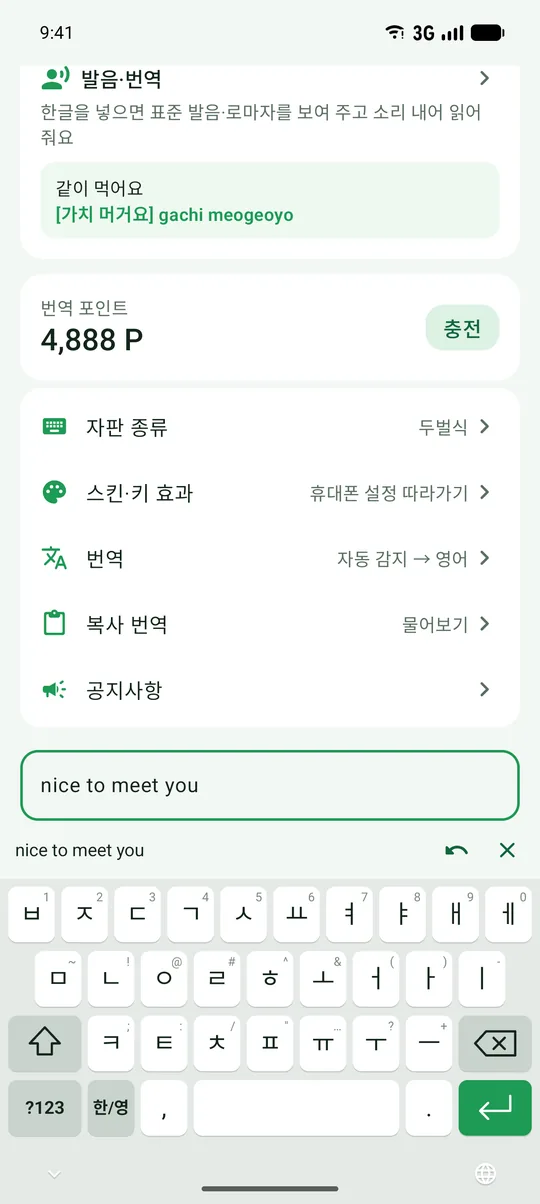
키보드 기능 줄의 [번역]을 누르면 커서가 있는 줄을 원하는 언어로 바꿔 넣어요. 따로 번역 앱을 열고 복사·붙여넣기 할 필요가 없어요.

Tap [Translate] above the keyboard and the line where your cursor is gets translated right in place — no switching apps, no copy and paste.

  • 바꿔 넣기 또는 뒤에 덧붙이기, 넣는 방식을 고를 수 있어요Replace the line, or add the translation after it
  • 글을 복사하면 키보드에서 바로 번역해 볼 수 있어요(복사 번역)Copy any text and see its translation in the keyboard
  • 되돌리기로 언제든 원래 문장으로Undo returns your original text any time
발음Pronunciation

한국어를 배우는 분께,
발음과 로마자까지
Learning Korean?
See how it sounds

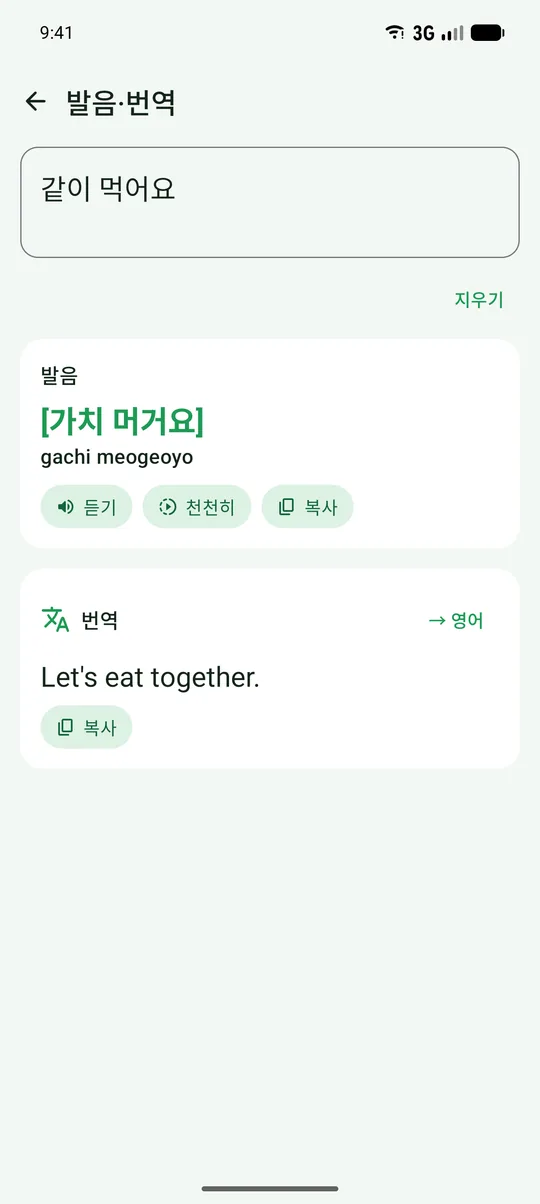
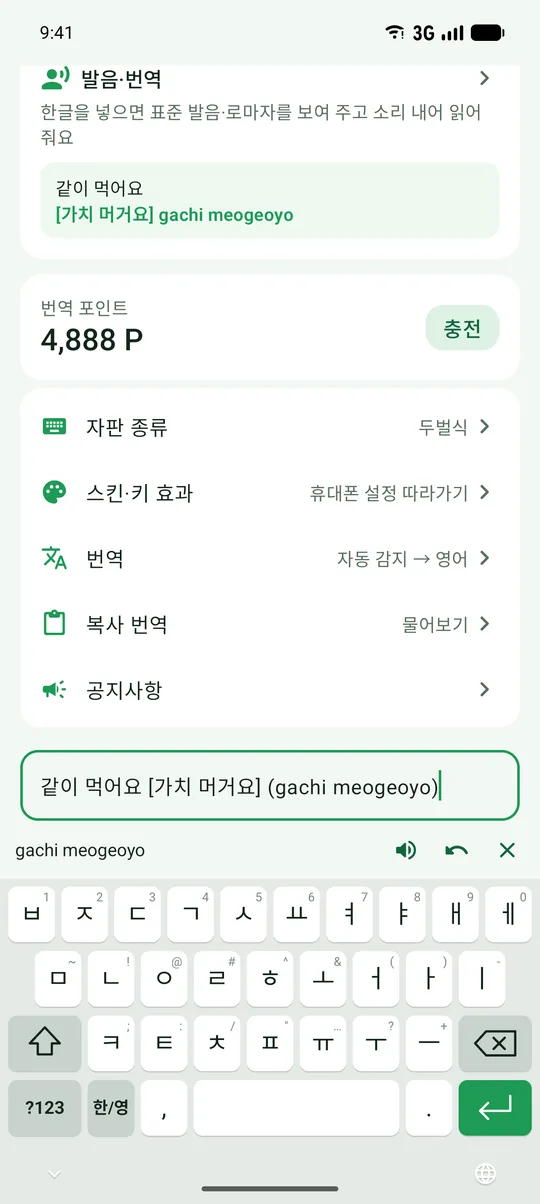
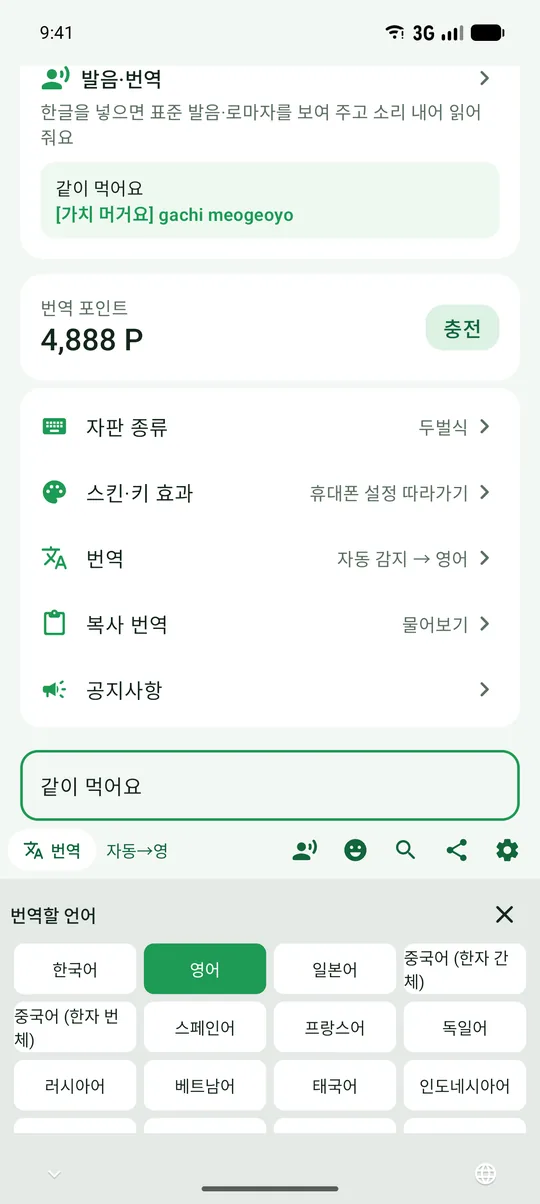
한글을 쓰고 [발음]을 누르면 표준 발음과 로마자를 붙여 줘요. 스피커 버튼으로 소리 내어 들어 볼 수도 있어요.

Type Korean and tap [Pronunciation] to add the standard pronunciation and romanization. Tap the speaker to hear it read aloud.

예시Example 같이 먹어요 → 같이 먹어요 [가치 머거요] (gachi meogeoyo)
자판Layouts

손에 익은 한글 자판
그대로 쓰세요
The Hangul layout
you already know

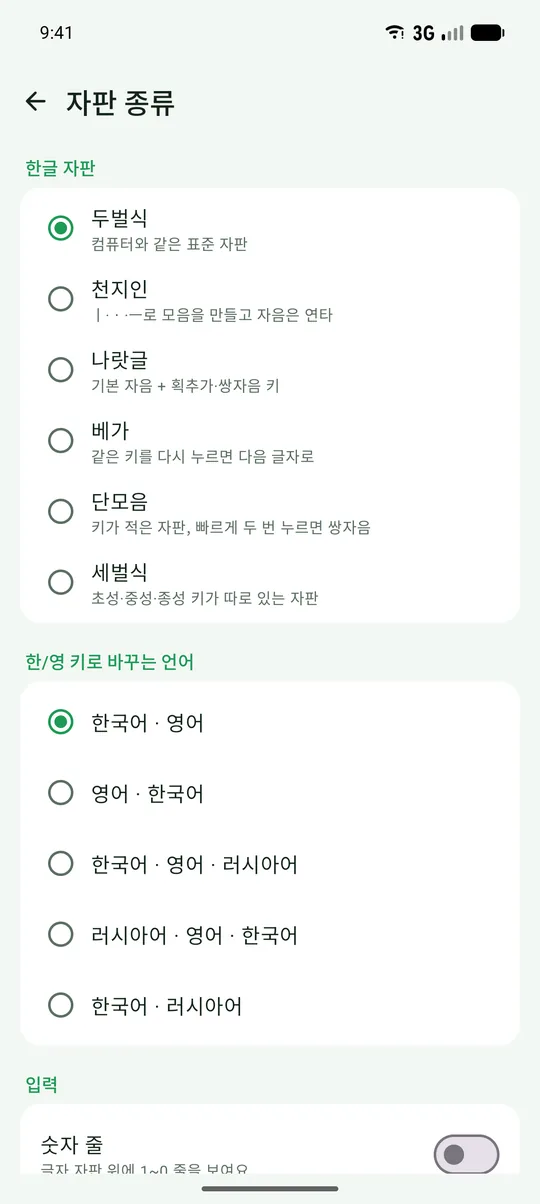
두벌식·천지인·나랏글·베가·단모음·세벌식을 모두 지원해요. 영어(QWERTY)·러시아어 자판도 함께 쓸 수 있어요.

Dubeolsik, Cheonjiin, Naratgul, Vega, Danmoum and Sebeolsik — plus English (QWERTY) and Russian. Interkey starts on your phone's language and switches to Hangul with one key.

두벌식천지인나랏글베가단모음세벌식QWERTY러시아어 DubeolsikCheonjiinNaratgulVegaDanmoumSebeolsikQWERTYRussian
  • 숫자 줄, 스페이스 두 번으로 마침표Number row and double-space for a period
  • 키보드의 🔍로 검색하고, 결과 링크나 화면 캡처를 입력칸에 바로Search from the keyboard and insert a link or screenshot into your message
꾸미기Make it yours

라이트·다크 모드에 맞추고,
나만의 스킨까지
Light, dark,
or your own skin

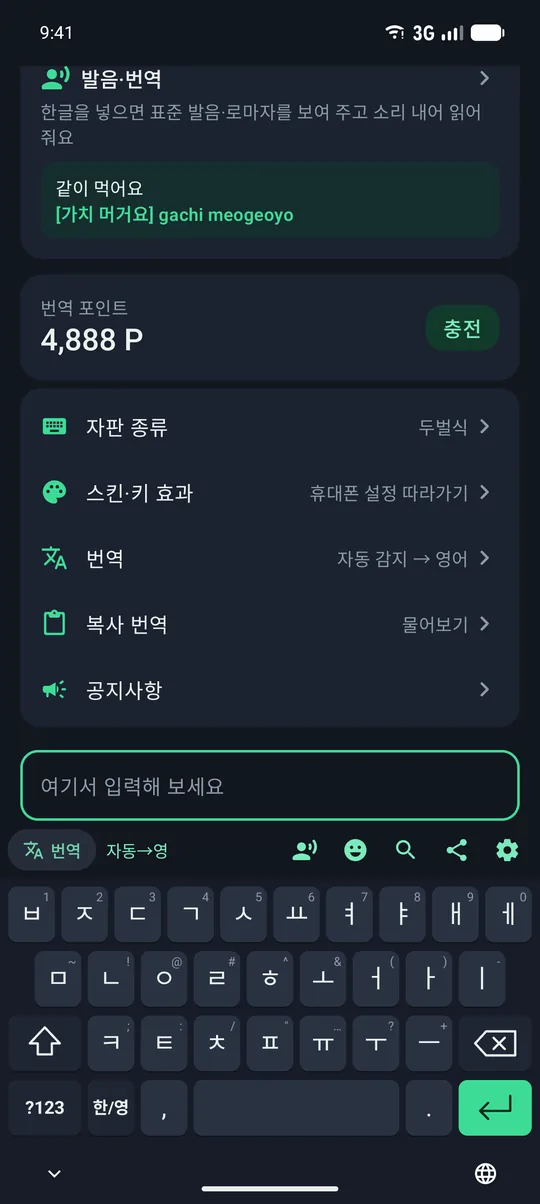
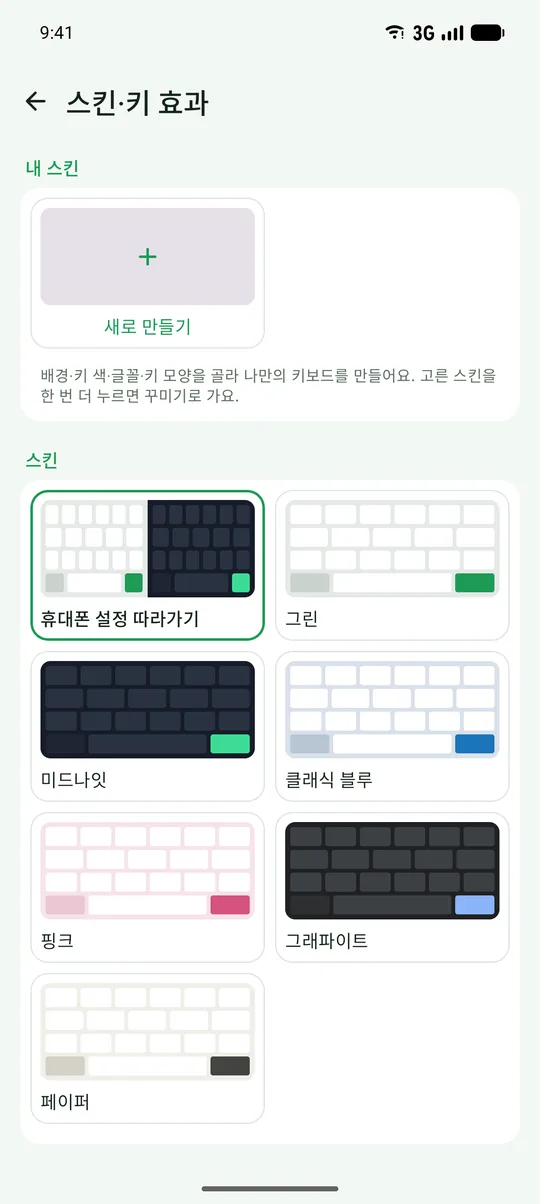
휴대폰 라이트·다크 모드에 맞춰 키보드 색이 저절로 바뀌어요. 기본 스킨 6가지에, 사진 배경·키 색·글꼴·키 모양을 골라 나만의 키보드를 무료로 만들 수 있어요.

The keyboard follows your phone's light or dark mode. Pick one of six skins, or make your own with a photo background, key colors, fonts and key shapes — free.

  • 소리·진동·키 말풍선, 키 높이 조절, 이모지Sound, haptics, key preview, key height and emoji
개인정보Privacy

키보드라서,
더 조심해요
It's your keyboard.
We're careful with it.

무엇이 언제 휴대폰 밖으로 나가는지 처음 실행할 때 먼저 알려 드려요. 동의하기 전에는 서버와 아무것도 주고받지 않아요.

The app tells you up front what leaves your phone and when. Nothing is sent to our server until you agree.

개인정보 처리방침 전문 보기 →Read the full Privacy Policy → 내 데이터 삭제하기 →Delete your data →
✓
평소 입력은 저장·전송하지 않아요What you type stays on your phone 일상적으로 치는 글은 어디에도 남기거나 보내지 않아요. Your everyday typing is never stored or sent anywhere.
✓
번역을 누를 때만 그 글이 전송돼요Only text you translate is sent [번역]·[복사 번역]을 누른 글만 번역 서버(Google 번역)로 가요. Only what you tap [Translate] on goes to the translation server (Google Translate).
✓
이름·전화번호를 받지 않아요No name, phone number or e-mail 포인트와 결제 확인에는 앱이 만든 무작위 ID 만 써요. Points and purchases use a random ID made by the app.
시작하기Get started

1분이면 켤 수 있어요Up and running in a minute

Android

  1. Google Play 에서 번키를 설치해요.
  2. 번키 앱을 열고 안내에 따라 ‘번키 키보드 켜기’를 눌러요.
  3. ‘번키를 기본 키보드로 선택’을 누르면 끝!
  1. Install Interkey from Google Play.
  2. Open the app and follow “Turn on the keyboard”.
  3. Choose Interkey as your keyboard — done!

iPhone

  1. 설정 › 일반 › 키보드 › 키보드 › 새로운 키보드 추가 › 번키
  2. 번키를 눌러 ‘전체 접근 허용’을 켜요.
  3. 입력할 때 🌐 를 눌러 번키로 바꿔요.
  1. Settings › General › Keyboard › Keyboards › Add New Keyboard › Interkey
  2. Tap Interkey and turn on “Allow Full Access”.
  3. While typing, tap 🌐 to switch to Interkey.

전체 접근은 번역(인터넷 연결)과 앱에서 고른 설정을 키보드가 읽는 데 필요해요. Full Access is needed for translation (internet) and for the keyboard to read your settings.

지금 번키로 써 보세요Try Interkey today

설치는 무료, 처음 시작하면 번역 포인트를 드려요.Free to install, with translation points to get you started.